PlayCroco Mobile Casino and App Access
 Available in US
Content
PlayCroco works on phones and tablets through a mobile browser, but that is not the same as having a native iPhone or Android app. PlayCroco says its pokies are accessible on mobile devices as well as desktop and recommends a modern browser such as Google Chrome for the best experience. Its support pages also use the word “app” in places, but there is no confirmed PlayCroco listing in either the Apple App Store or Google Play. For Australian readers, the clearest description is mobile-browser access rather than a native-store download.
That distinction matters because “mobile casino” can mean different things. A responsive website can look and behave much like an app in Safari or Chrome without requiring an installation. If you want to play PlayCroco pokies on a phone, you can use the mobile website. A separate App Store or Google Play app is not currently confirmed.
Mobile browser access versus a native app
The simplest way to understand PlayCroco on mobile is to separate how you access it from how well it works. The website can be opened on a mobile device, and PlayCroco says its games are accessible on phones and tablets. That confirms mobile play, but it does not mean a native app has been published through Apple or Google.
| Question | What is available | What is not confirmed |
|---|---|---|
| Can PlayCroco be opened on a phone or tablet? | Yes. PlayCroco states that its pokies are accessible on mobile devices. | No specific performance benchmark or device-by-device test is claimed. |
| Can games be played in a mobile browser? | Yes. The operator describes browser access and recommends a modern browser such as Chrome. | No claim is made that every old browser or device model is supported. |
| Is there a native iPhone app? | Not confirmed. | No current App Store listing or official download link is confirmed. |
| Is there a native Android app? | Not confirmed. | No current Google Play listing or official APK source is confirmed. |
The word “app” on a support page does not necessarily mean there is a store download. Casino sites sometimes use the term loosely for the mobile experience as a whole. A native app would normally be backed by a clear Apple App Store or Google Play listing, so mobile web access is the most accurate description at present.
How to use PlayCroco on a phone or tablet
Using PlayCroco on mobile is straightforward: open the site in your mobile browser, sign in if you already have an account, and use the responsive interface to reach the games or cashier. PlayCroco describes mobile access on its homepage and lists a large catalogue of pokies and casino games.
- Use a current browser on the device and open the official site directly.
- Check that the address and site identity are correct before entering account credentials.
- Sign in only on a device you control, especially if you intend to access payments or verification screens.
- Choose a game from the mobile catalogue, or use practice mode where it is offered before risking real funds.
- For deposits, withdrawals or identity checks, give yourself enough screen space to review amounts, document prompts and terms before confirming anything.
Mobile access is convenient, but a smaller screen can make it easier to skim a bonus condition, payment limit or upload instruction. If you are about to deposit, compare the available PlayCroco payment methods. If you are preparing to verify an account, account verification guidance covers the current document categories in detail.
What you can actually play on mobile
PlayCroco says its game catalogue is available on mobile devices as well as desktop, so mobile access is not presented as a separate reduced version of the casino. The more useful question is whether the games you want are visible and load correctly on your own device.
The game catalogue can change, with titles added or removed over time. For provider coverage, game categories and the difference between real-money and practice access, see PlayCroco games.
One useful mobile feature is Practice Mode on selected pokies. PlayCroco says players can try games without starting with a real-money wager. On a phone, this gives you a chance to check whether the controls, reels and paytable navigation are comfortable on your screen before moving to real-money play.
iPhone and iPad: what to expect
For iPhone and iPad users, the main access route is the browser. Open PlayCroco in Safari or another current browser and use the responsive site. A native iOS App Store listing is not currently confirmed.
A browser-based casino can still provide account access, games, support and cashier functions without a native installation. One advantage is that there is no separate app version to keep updated. You should still pay attention to browser privacy settings, saved passwords and whether you opened the site from a trusted bookmark or source.
If you save the site to your home screen through the browser, remember that it is still a shortcut to the website rather than an Apple-distributed native app.
Android phones and tablets
The same applies on Android. PlayCroco supports mobile browser use, but no Google Play app is currently confirmed. Open the site in a current browser, check the address, and use the responsive interface.
Be cautious with third-party pages that ask you to sideload an APK while presenting it as the official PlayCroco app. Since no native Android distribution channel is currently confirmed, downloading an APK from a review site, file host or messaging link is not recommended. Using the browser avoids that uncertainty.
Mobile deposits, withdrawals and account checks
Mobile access is not only about spinning pokies. The same account may be used to deposit, request a withdrawal, contact support and complete verification. Those tasks deserve more care than simply launching a game because they involve money or identity data.
- Deposits: check the cashier for the methods actually available to your account rather than assuming every payment logo shown publicly will appear for you.
- Withdrawals: review the method-specific limits and processing notes in the live cashier before submitting a request, because payout figures can change.
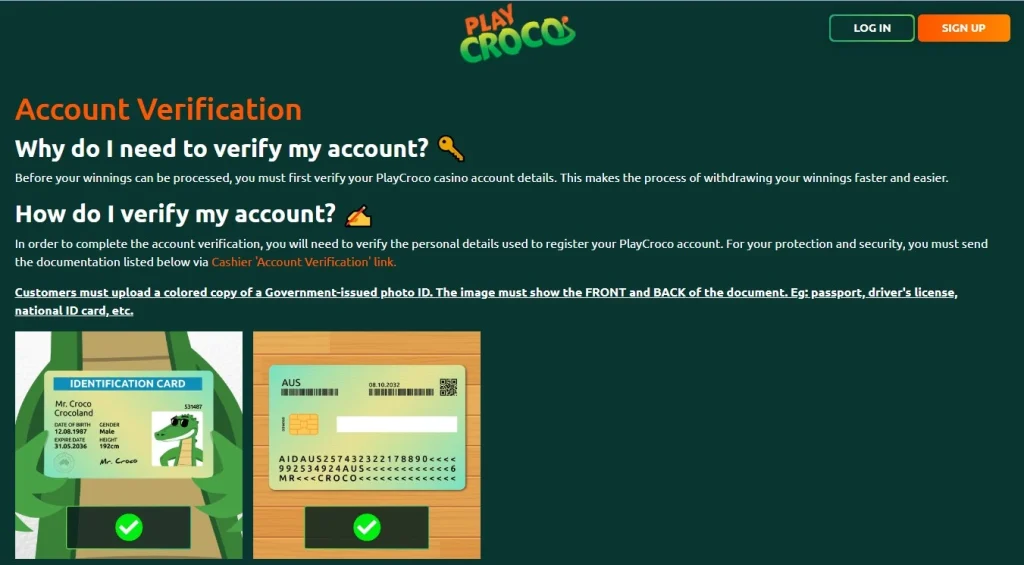
- KYC uploads: use clear images and avoid cropping out information PlayCroco specifically requests. Do not upload identity documents over public Wi-Fi if you can avoid it.
- Support: keep transaction records or reference numbers when discussing a payment or account issue so you can explain the problem precisely.
Mobile is not automatically less secure than desktop, but phones are often used in more distracting situations. Take extra care with cashier and verification screens rather than rushing through them between game sessions.
Performance and connection quality
Performance depends on the device, browser, connection and the game being loaded. A graphically heavy title can behave differently from a simpler slot even on the same phone, so there is no single loading-speed or battery-use figure that applies to every device.
If a game stalls, the sensible first checks are generic and non-controversial: confirm the connection is stable, close unnecessary tabs, make sure the browser is current and reload the game. If the issue affects only one title, try another game before assuming the entire mobile site is unavailable. If it affects sign-in or the cashier, contact support rather than repeatedly submitting the same transaction.
A practical mobile checklist
- Use the official site in a current browser.
- Do not treat the word “app” in support copy as proof of an App Store or Google Play listing.
- Avoid unverified APK download pages.
- Try practice mode before committing money to a game you have not used on a small screen.
- Check payment amounts and bonus terms at full attention before confirming.
- Keep account and KYC documents private and upload them only through the operator’s intended verification flow.
- Use the account controls and responsible-gambling options if play stops feeling manageable.
For the wider product picture, including bonuses, payments and Australian regulatory context, return to the full PlayCroco review. For licensing and the distinction between product availability and local regulatory authorisation, read PlayCroco trust and regulation.
Mobile FAQ
Does PlayCroco work on mobile?
Yes. PlayCroco states that its pokies are accessible on mobile devices as well as desktop, so the site can be used through a mobile browser.
Is there a PlayCroco iPhone app?
A native Apple App Store listing is not currently confirmed. The main access route is the responsive mobile website.
Is there a PlayCroco Android app?
A native Google Play listing is not currently confirmed. Android access is available through the mobile website, and third-party APK downloads are not recommended.
Can I use practice mode on a phone?
PlayCroco currently advertises practice mode for selected games, and its game content is described as accessible on mobile devices.
Should I handle KYC on mobile?
You can use the mobile experience for account tasks, but identity-document uploads deserve extra care. Use a private connection, follow the current verification instructions and make sure required document details are legible.
This material was created by the PlayCroco Australia Guide team.
Related posts

PlayCroco Withdrawals: Methods, Limits and Processing
PlayCroco KYC and Account Verification